
10 Best Shopify Product Customization Apps to Win BFCM 2026
Black Friday Cyber Monday (BFCM) is one of the biggest sales opportunities of the year for Shopify merchants. With thousands of stores competing for shoppers’ attention, offering something beyond a standard product can help a store stand out.
Product customization gives customers the ability to make products their own. Depending on the store, shoppers can add names and messages, upload images, choose colors, select different options, or even design an entire product before placing an order.
For merchants, the challenge is finding a Shopify product customization app that provides the right combination of flexibility, ease of use, pricing, and customer experience.
In this guide, we’ll compare 10 of the best Shopify product customization apps for BFCM 2026. We’ll look at what each app offers, its advantages and limitations, pricing, and the types of Shopify stores it is best suited for.
Key Takeaways
- Product customization can help Shopify merchants differentiate their products during the competitive BFCM shopping season.
- Easify Custom Product Options offers a broad range of product options, personalization tools, live preview, file uploads, conditional logic, and price add-ons.
- Some apps focus primarily on custom fields and product options, while others provide advanced visual product personalization.
- Pricing ranges from free plans to advanced solutions costing hundreds of dollars per month.
- The best Shopify product customization app depends on the complexity of the products and the type of customer experience a merchant wants to create.
Why Is Product Customization Becoming More Important?
Personalization is becoming an increasingly important part of the ecommerce experience, especially as customers expect brands to offer experiences that feel more relevant to their individual needs.
According to McKinsey, 71% of consumers expect companies to deliver personalized interactions, while 76% become frustrated when those expectations are not met. The research also found that faster-growing companies generate 40% more revenue from personalization than slower-growing companies.
For ecommerce brands, personalization is no longer limited to marketing emails or product recommendations. Giving customers the ability to personalize the products they purchase can create a more relevant and engaging shopping experience while helping products stand out from competing offers.
A Deloitte 2024 Consumer Loyalty Survey found that 73% of consumers consider personalized experiences or rewards important, while only 60% are satisfied with the level of personalization currently offered. This suggests there is still a gap between what customers expect and what many brands currently provide.
The opportunity becomes even more significant during BFCM. According to Shopify, Shopify merchants generated $14.6 billion in sales during BFCM 2025, a 27% increase from the previous year, with more than 81 million customers purchasing from Shopify-powered brands.
With shoppers exposed to a huge number of competing products during BFCM, product customization gives merchants another way to differentiate their products and create a more memorable shopping experience without relying entirely on discounts.
For merchants also exploring wholesale opportunities, looking at real Shopify B2B examples can provide useful inspiration for building differentiated customer experiences and growing beyond traditional B2C sales.
10 Best Shopify Product Customization Apps for BFCM 2026
1. Easify Custom Product Options
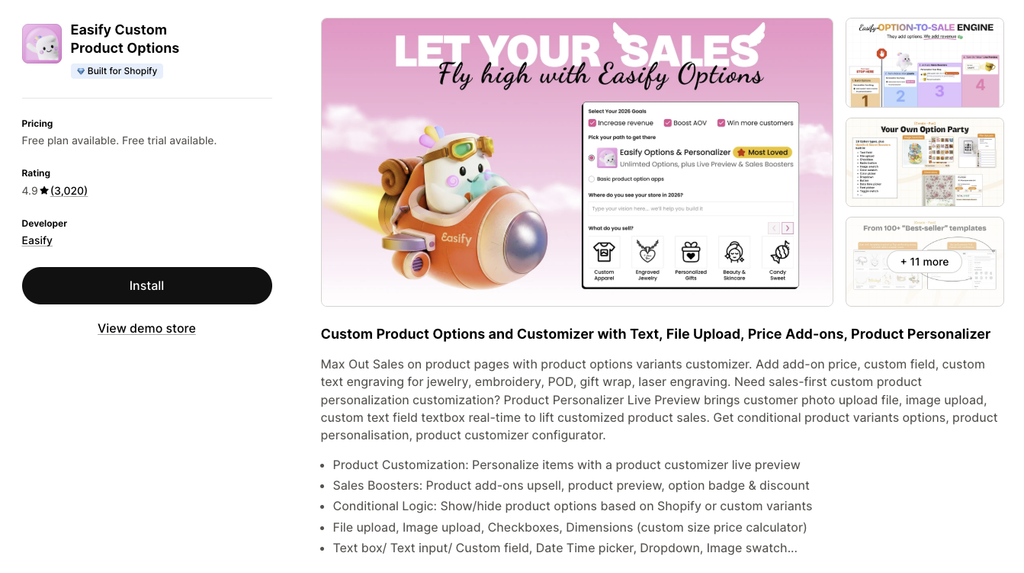
Easify Custom Product Options is an all-in-one Shopify solution for merchants who want to add product options and personalization without relying entirely on Shopify’s standard variants.
The app supports simple customization fields as well as more advanced personalization experiences. Merchants can allow customers to enter text, upload files or images, select colors, choose images, add extra charges, and configure products based on previous selections.
This makes it suitable for a wide range of customizable products, from personalized gifts and jewelry to apparel and print-on-demand products.
Pros
- Easify supports a wide range of product customization options, including text boxes, file uploads, image uploads, dropdowns, color swatches, image swatches, date and time pickers, and custom size and price calculators. This gives merchants flexibility to create different customization experiences without having to build separate solutions for every product.
- The Product Personalizer and Live Preview features allow customers to see personalization changes while they customize a product. This can be particularly useful for products where shoppers need to visualize names, images, colors, or other changes before purchasing.
- Conditional Logic allows merchants to display relevant options based on customer selections. For example, an engraving field can appear only after a shopper selects an engraving option, keeping complex product pages easier to navigate.
- Easify also supports price add-ons, allowing merchants to charge additional fees for premium customization services, while file and image uploads make it possible to collect artwork, logos, and customer photos directly from the product page.
- The app also provides a Free Forever plan, making it accessible to merchants who want to test product customization without immediately committing to a paid subscription.
Cons
- Advanced Product Personalizer setups may require more initial configuration than simple custom fields.
Pricing
- Free Forever
- Pro: $9.99/month
- Premium: $19.99/month
- Enterprise: $99.99/month
Best For
Easify is best for Shopify merchants looking for an all-around product customization solution that can handle everything from simple personalization fields to more advanced live product personalization.
2. Mini: Custom Fields Personalize
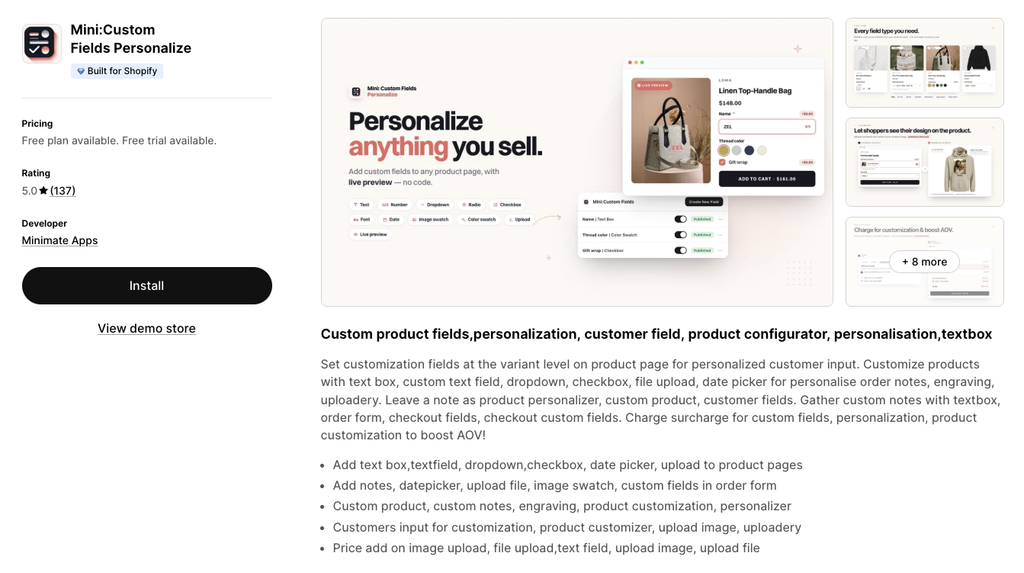
Custom Fields Personalize focuses on helping Shopify merchants collect additional information from customers directly on product pages.
It is particularly useful for stores selling personalized products where customers need to provide names, engraving details, notes, dates, images, or files before adding an item to their cart.
Pros
- Mini supports a variety of custom field types, including text boxes, dropdowns, checkboxes, date pickers, file uploads, image swatches, and custom notes.
- The app can also be used for common personalization scenarios such as engraving, custom messages, image uploads, and customer-specific product information.
- Its support for price add-ons allows merchants to charge additional amounts for certain customization services instead of including everything in the base product price.
- Mini also works with platforms such as GemPages and PageFly, giving merchants more flexibility when building customized product pages.
Cons
- The app is more focused on custom fields and product information than full visual product personalization.
Pricing
- Free
- Monthly Basic: $5.99/month
- Monthly Premium: $9.99/month
Best For
Mini is best for merchants who primarily need custom fields, personalization inputs, file uploads, engraving details, and customer notes without requiring a sophisticated visual product configurator.
3. Customily Product Personalizer
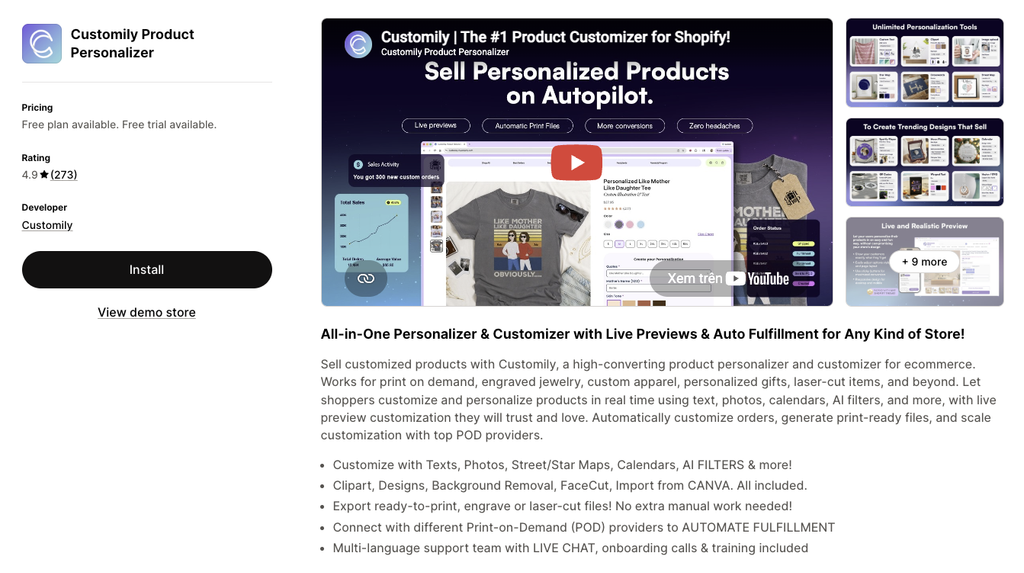
Customily Product Personalizer is designed for stores that need customers to visually personalize products before purchasing.
Rather than simply collecting customization information, the platform allows shoppers to work with text, photos, designs, and other visual elements while creating personalized products.
Pros
- Customily provides live product personalization and previews, allowing shoppers to see how their customized product will look before completing the purchase.
- Customers can work with text, photos, designs, clipart, backgrounds, maps, calendars, and other personalization elements. The platform also includes tools such as Canva import and AI-powered filters.
- For merchants selling personalized or print-on-demand products, Customily can generate ready-to-print files, including files used for printing, engraving, or laser cutting. This can reduce the amount of manual preparation required after an order is received.
- The platform also supports integrations with different print-on-demand providers, making it particularly relevant to merchants with automated production workflows.
Cons
- More expensive than basic product options and custom field apps.
- The advanced personalization features may be unnecessary for stores selling products with only simple customization.
Pricing
- Development Stores: Free
- Customily Plan: $49/month
- Additional transaction fee per order item using Customily
Best For
Customily is best for print-on-demand businesses, personalized gift stores, apparel brands, and merchants that need customers to visually design products before ordering.
4. Eazy Product Options & Variant
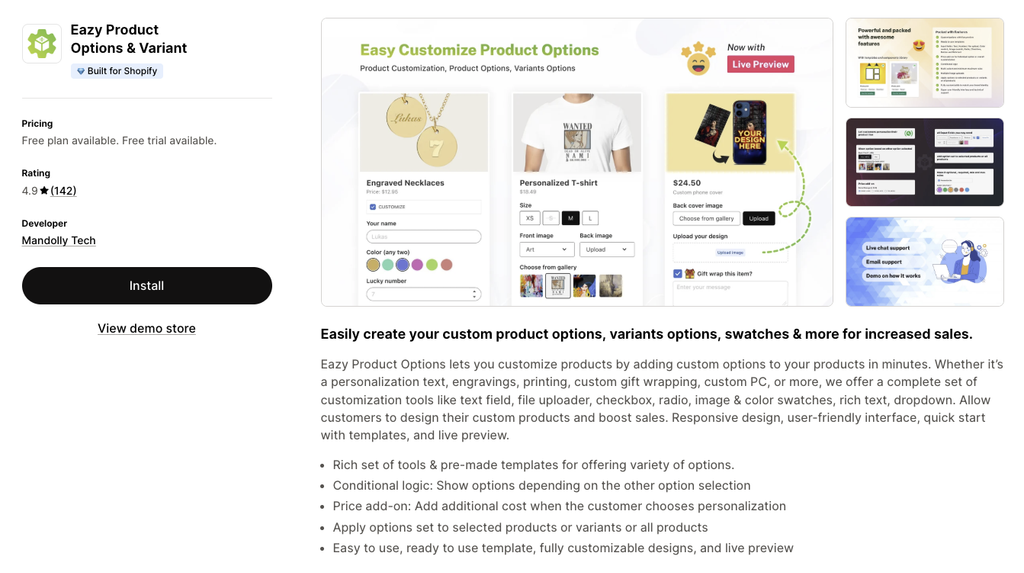
Eazy Product Options & Variant helps Shopify merchants add additional product options without relying entirely on Shopify’s standard variant system.
The app focuses on making product customization easier to configure while providing templates, pricing options, Conditional Logic, and Live Preview.
Pros
- Multiple option types: Supports text fields, file uploads, dropdowns, radio buttons, image options, color swatches, and rich text.
- Conditional Logic: Merchants can control when certain product options appear based on customer selections.
- Price add-ons: Additional charges can be connected to product options when certain customizations cost more.
- Pre-made templates: Ready-to-use templates can help merchants create common product customization setups more quickly.
- Live Preview: Customers can see customization changes while interacting with the product.
- Product and collection targeting: Merchants can apply options to selected products or collections instead of configuring every product individually.
- Responsive experience: The app is designed to provide a user-friendly customization experience across storefronts.
Cons
- Better suited to standard product options than highly advanced visual personalization.
Pricing
- Free
- Basic: $9.99/month
- Pro: $14.99/month
Best For
Eazy is best for merchants looking for a straightforward product options app with templates, Conditional Logic, price add-ons, and Live Preview.
5. King Product Options, Variants
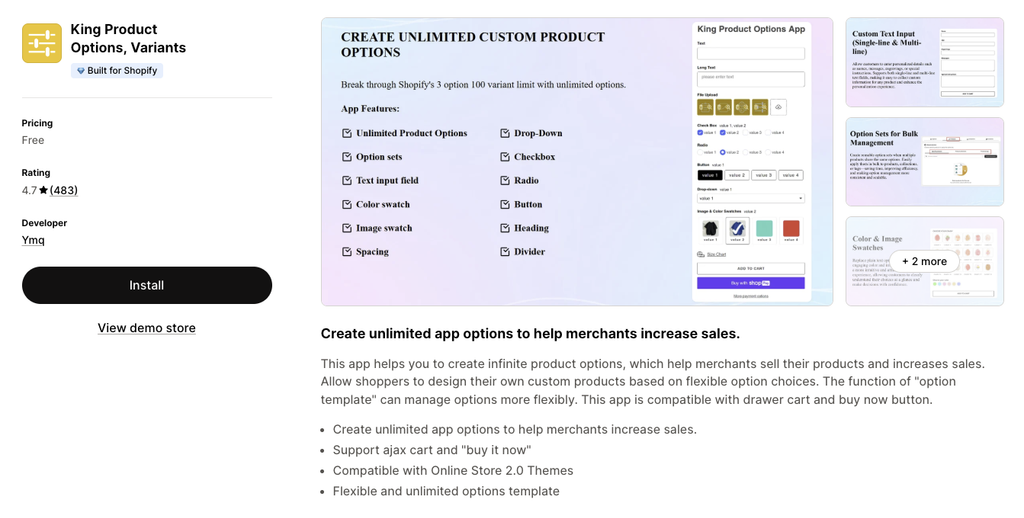
King Product Options, Variants focuses on expanding Shopify’s standard product option capabilities.
The app is particularly useful for merchants who need additional product choices without creating a separate Shopify variant for every possible combination.
Pros
- Unlimited product options: Merchants can create unlimited product options, helping them work around Shopify’s standard product variant limitations.
- Multiple input styles: Supports text fields, color swatches, image swatches, dropdowns, checkboxes, radio buttons, and buttons.
- Option Sets: Merchants can organize product options into different sets for easier management.
- Better option organization: Headings and dividers can help structure more complicated groups of product options.
- Theme compatibility: The app supports Online Store 2.0 themes.
- Cart compatibility: Support for AJAX cart and Buy Now buttons can make it easier to integrate additional product options into the storefront.
Cons
- Primarily focused on product options rather than advanced visual product personalization.
- The screenshot only shows a Free pricing option.
Pricing
- Free
Best For
King Product Options, Variants is best for merchants who need unlimited product options and multiple input types without requiring a full visual personalization platform.
6. LPO Live Product Options
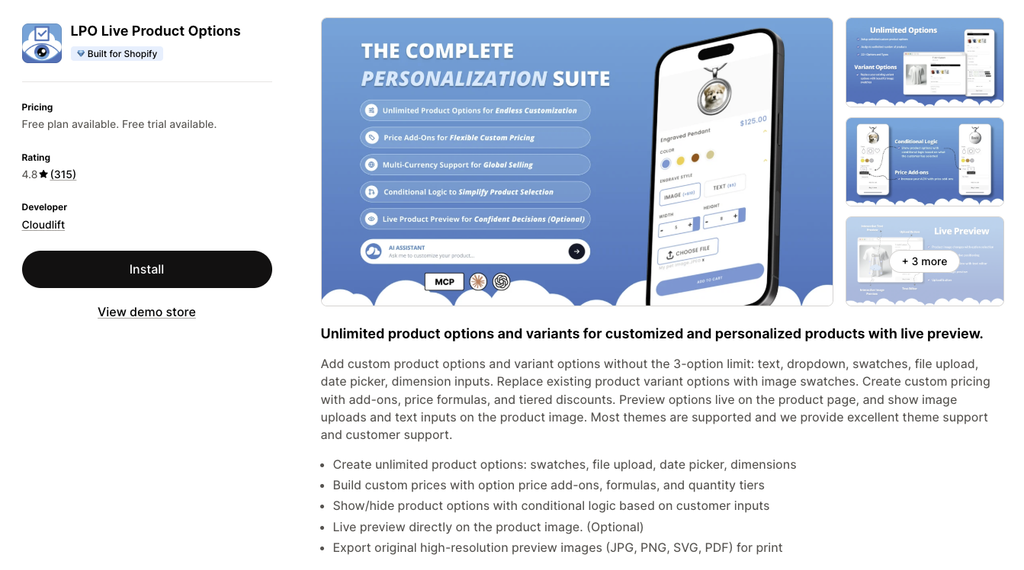
LPO Live Product Options combines advanced product options with Live Preview and dynamic pricing capabilities.
The app is designed for stores where customers need to configure products while seeing the resulting changes directly on the product image.
Pros
- Live Preview on product images: Customers can see customization changes directly on the product image while configuring their products.
- Unlimited product options: Merchants can create extensive product configurations using different option types.
- Advanced pricing: Price add-ons, formulas, and quantity tiers allow merchants to build more flexible pricing structures.
- Conditional Logic: Merchants can show or hide options based on customer inputs.
- File uploads and dimensions: Customers can submit files and custom dimensions directly through the product page.
- High-resolution exports: Customized previews can be exported in JPG, PNG, SVG, and PDF formats.
- Production-friendly workflow: High-resolution design exports can be useful for merchants who need customer artwork for printing or manufacturing.
Cons
- Its advanced customization and pricing features may be more than simple stores need.
Pricing
- Free
- Starter: $9/month
- Basic: $19/month
- Pro: $29/month
Best For
LPO is best for merchants who need Live Preview combined with dynamic pricing, custom dimensions, file uploads, Conditional Logic, and high-resolution design exports.
7. Inkybay Product Personalizer
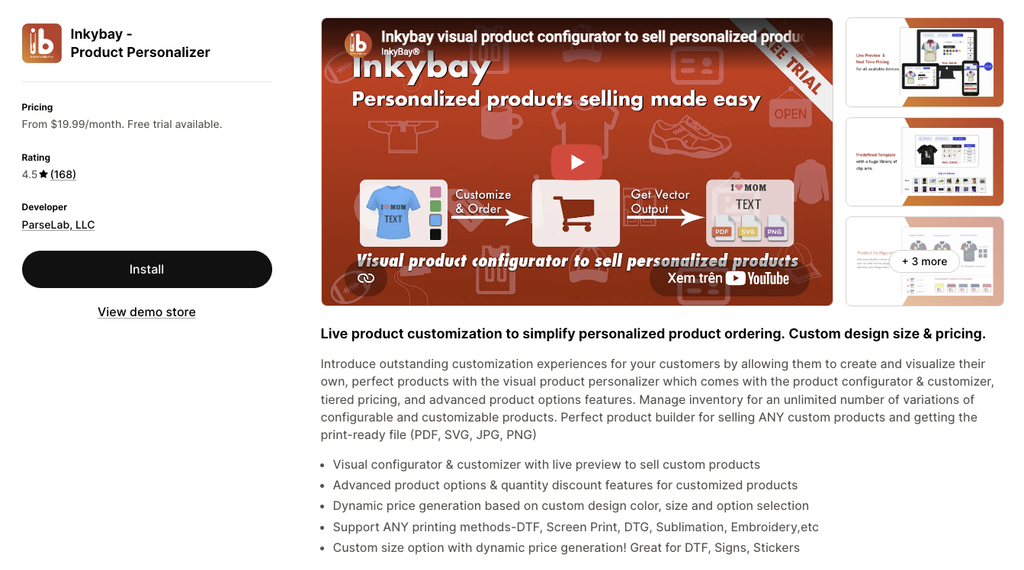
Inkybay Product Personalizer is a visual product configurator designed for stores selling highly customizable products.
It allows customers to design and visualize products while dynamically calculating the price based on their selections.
Pros
- Visual product configurator: Customers can create and visualize customized products through an interactive design experience.
- Live Preview: Product changes are displayed while customers personalize their designs.
- Dynamic pricing: Prices can be generated based on customer selections and customized product configurations.
- Advanced product options: Merchants can create more sophisticated configurations than simple text-based personalization.
- Custom size pricing: The app supports custom size options with dynamic price generation.
- Quantity discounts: Merchants can offer different pricing based on the quantity of customized products purchased.
- Production-ready exports: Designs can be exported as PDF, SVG, JPG, and PNG files.
- API support: Businesses can connect the personalization workflow with other systems through API functionality.
Cons
- Pricing is significantly higher than many standard product option apps.
- The advanced configurator may be unnecessary for merchants offering only basic personalization.
Pricing
- Starter: $19.99/month
- Advance: $49.99/month
- Professional: $99.99/month
- Unlimited: $249.99/month
Best For
Inkybay is best for print businesses, apparel stores, and merchants that need a sophisticated visual product configurator with dynamic pricing and production-ready design files.
8. Qikify Custom Product Options
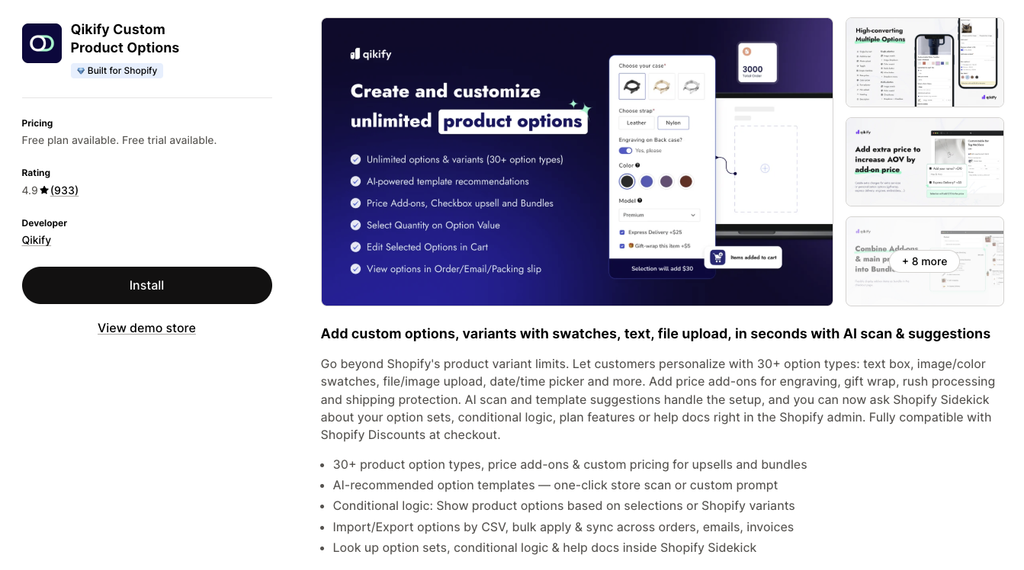
Qikify Custom Product Options helps Shopify merchants create customized products using a broad selection of product option types.
The app combines product options with Conditional Logic, price add-ons, AI-powered templates, and bulk management tools.
Pros
- 30+ product option types: Merchants have a large selection of options available when creating customized products.
- Flexible customization: Supports text fields, file uploads, color swatches, image swatches, price add-ons, and custom pricing.
- Conditional Logic: Merchants can display options based on customer selections, making more complex configurations easier to manage.
- AI-powered templates: AI-powered option templates can help speed up the process of creating product options.
- Bulk management: CSV import and export, bulk application, and syncing features can make it easier to manage options across larger catalogs.
- Option Sets: Merchants can organize product configurations and apply them across multiple products.
- Live support: The app includes live chat support.
Cons
- The extensive feature set may be more than smaller stores need for simple product customization.
Pricing
- Free
- Unlimited: $19.99/month
- Shopify Plus: $49.99/month
Best For
Qikify is best for growing Shopify stores that manage larger product catalogs and need extensive product options, bulk management, Conditional Logic, and pricing tools.
9. Variant Option Product Options
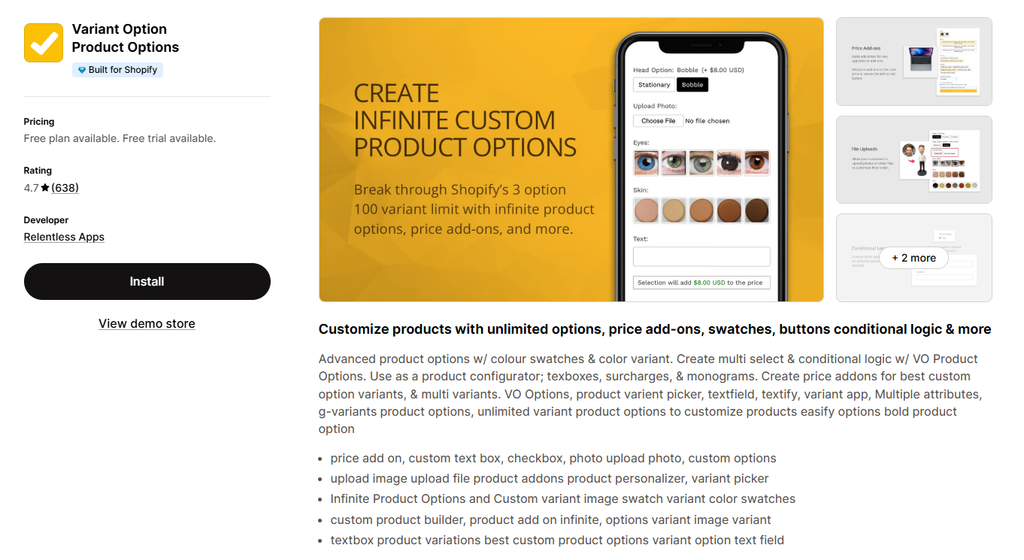
Variant Option Product Options gives Shopify merchants more flexibility when creating product options, custom variants, and personalization fields.
The app supports unlimited options alongside swatches, buttons, text fields, surcharges, and Conditional Logic.
Pros
- Unlimited Product Options: Merchants can create extensive product configurations without depending entirely on Shopify’s standard variants.
- Multiple visual options: Supports color swatches, image swatches, buttons, and product variant pickers.
- Personalization fields: Textboxes and monogram options allow customers to add personalized information to their products.
- Price add-ons and surcharges: Merchants can charge more for premium options, personalization, or additional services.
- Conditional Logic: Relevant options can be displayed based on customer selections.
- Flexible product add-ons: The app supports additional customization options for stores with more complex product configurations.
- Accessible pricing: The paid plans shown in the screenshot remain below $20/month.
Cons
- More focused on product options and add-ons than advanced visual product personalization.
Pricing
- Starter: Free
- Basic: $9.99/month
- Advanced: $19.99/month
Best For
Variant Option Product Options is best for merchants who need unlimited options, swatches, text fields, monograms, surcharges, and Conditional Logic.
10. Teeinblue Product Personalizer
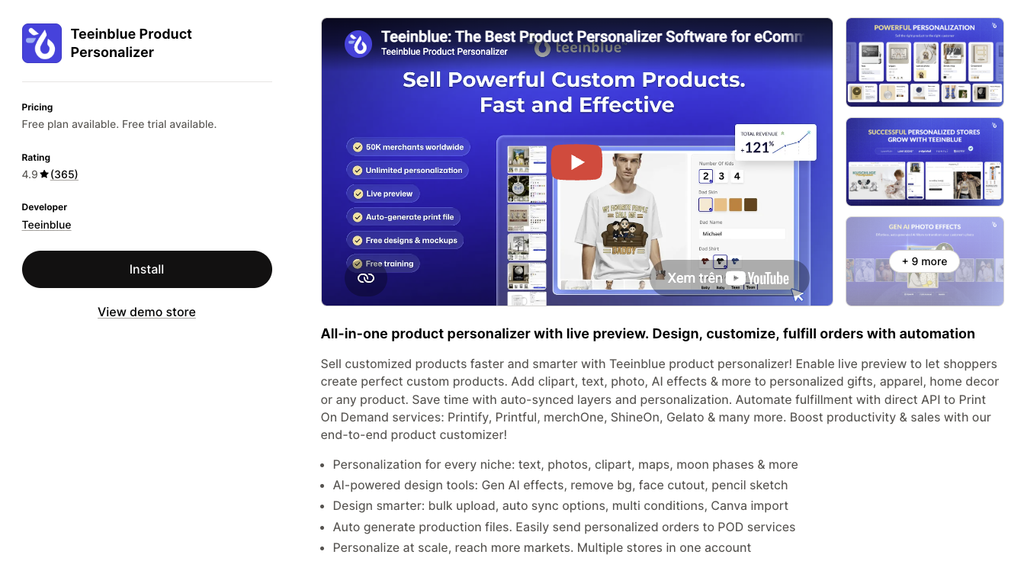
Teeinblue Product Personalizer is an all-in-one product personalization platform designed particularly for customized and print-on-demand products.
The app combines live preview, personalized designs, AI-powered tools, automated production files, and integrations with print-on-demand providers.
The Shopify App Store listing positions Teeinblue around creating customized products faster while reducing manual work in the personalization and fulfillment process.
Pros
- Live product personalization: Customers can customize products through a live preview experience, helping them visualize the final product before purchasing.
- Multiple personalization options: The app supports personalization using text, photos, clipart, maps, moon phases, and other design elements.
- AI-powered design tools: AI tools can help with effects, background removal, face cutouts, pencil sketches, and other design tasks.
- Automated production files: Teeinblue can automatically generate production-ready files for personalized orders, which can reduce manual preparation.
- POD integrations: The app connects with print-on-demand services such as Printify, Printful, MerchOne, ShineOn, and Gelato.
- Canva and PSD imports: Merchants can import existing designs from Canva and PSD files into their personalization workflows.
- Multiple stores: The paid plan supports managing multiple stores from one account.
- Ready-to-use designs and mockups: Merchants can access free designs and mockups to help create personalized products more efficiently.
- Free plan for development stores: Development stores can use the platform for free, making it possible to test the workflow before launching.
Cons
- The feature set is primarily aimed at merchants selling personalized products and POD products.
- Advanced personalization workflows may require more setup than simple product option apps.
Pricing
- Development Stores: Free
- Blue: $49/month
- The Blue plan also includes a transaction fee per order item generated by Teeinblue.
- 14-day free trial is shown for the paid plan.
Best For
Teeinblue is best for print-on-demand businesses, personalized gift stores, apparel brands, and merchants that need live personalization combined with automated production workflows.
How to Choose the Right Product Customization App for Shopify
With so many Shopify product customization apps available, choosing the right one can be challenging. The best option isn’t necessarily the app with the longest feature list – it should be the one that fits your products, customers, and workflow.
Before making a decision, consider these key factors:
- Choose the features you actually need. Start by identifying how customers will customize your products. Simple text fields may be enough for some stores, while others may need file uploads, swatches, Conditional Logic, dynamic pricing, or Live Preview.
- Look beyond the price. A cheaper app isn’t always the better choice if it lacks important features or creates extra work for your team. Consider the overall value, including usability, support, and the features you’ll need as your store grows.
- Think about long-term scalability. Your customization needs may become more complex as you add products and customers. Choosing an app with flexible plans and advanced features can help you avoid switching platforms later.
If you plan to expand into wholesale, corporate sales, or custom B2B orders, make sure the app can handle large product catalogs, customer-specific requirements, file uploads, and pricing flexibility.
Related reading: Shopify B2B: Your Complete Guide to Wholesale Success
Final Thoughts
Adding product customization to a Shopify store can make products more relevant to individual shoppers while creating a more engaging buying experience. From simple personalization fields to advanced product configurators, the right setup depends on how much freedom customers need and how the business handles fulfillment.
With BFCM 2026 approaching, it’s a good time to review your current product pages and consider whether customization could make your products more appealing. A well-designed customization experience should give customers enough flexibility to create something unique without making the purchasing process unnecessarily complicated.
Ultimately, the best Shopify product customization app is the one that fits your current needs while giving your store room to grow. By choosing the right features, pricing model, and level of customization, merchants can create a smoother customer experience and get more value from their products during BFCM and beyond.
