
Shopify B2B: Your Complete Guide to Wholesale Success
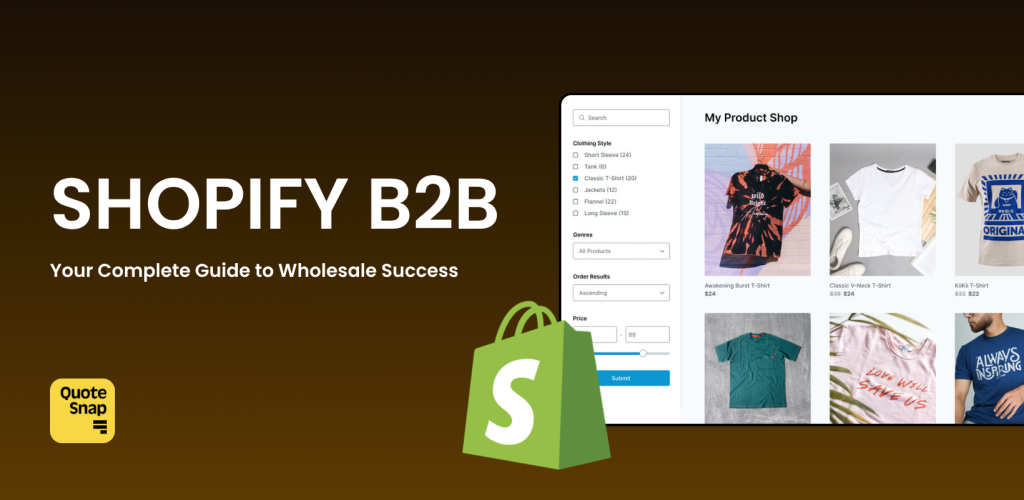
The Shopify B2B world is huge. We’re talking about a $32 trillion market that dwarfs regular consumer shopping by five times. But here’s the thing – selling to businesses isn’t the same as selling to everyday shoppers. You’ve got multiple decision-makers, custom pricing deals, and complex shipping needs.
That’s where Shopify B2B comes in. This guide breaks down everything you need to know about using Shopify for wholesale, from setup to pricing, and whether it’s right for your business.
What Is Shopify B2B?
Think of Shopify B2B as your wholesale headquarters built right into your regular Shopify store. Unlike the old “Wholesale Channel” that felt tacked on, this is baked into the core platform.
Here’s what makes it different: you can run both your regular store and wholesale operation from the same dashboard. Or if you prefer, set up a completely separate wholesale store. It’s your call.
But there’s a catch – you need Shopify Plus. The basic and advanced plans don’t include these wholesale features. This brings us to the cost reality.
Shopify B2B Pricing
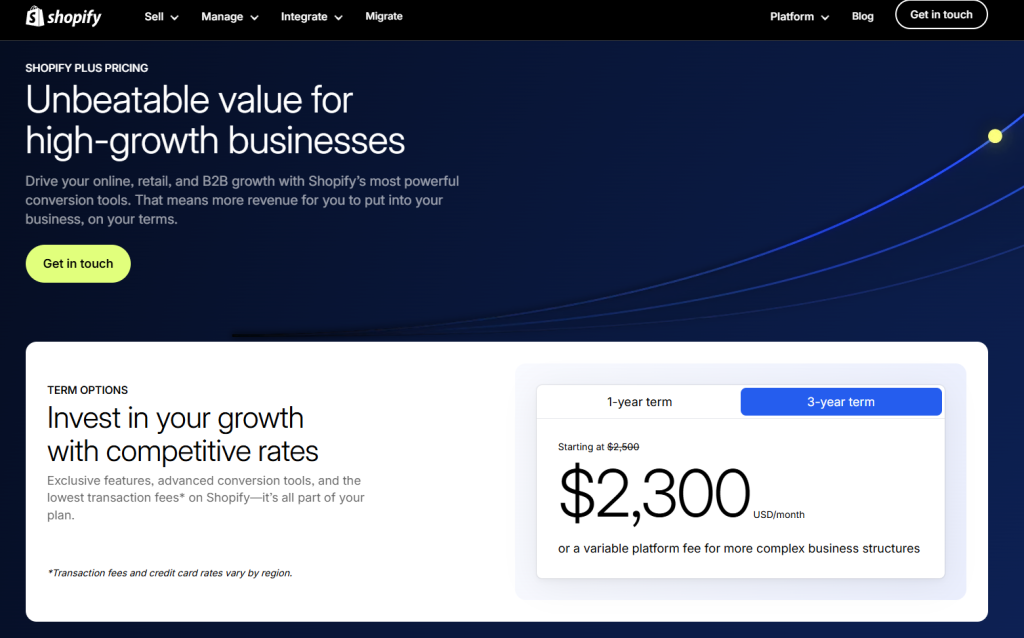
Shopify Plus starts at $2,300 per month for three years, or $2,500 monthly year-to-year. These prices jumped 25% in 2024, catching many merchants off guard.
What you get for the investment:
- Complete wholesale functionality built into the platform — eliminating the need for third-party wholesale apps.
- Less dependence on custom coding or makeshift solutions that might break during updates.
- Higher customer loyalty and bigger average orders thanks to a smoother wholesale buying experience.
The good news? B2B features don’t cost extra once you’re on Plus. The bad news? You’re looking at nearly $30,000 per year minimum just for the platform. That pricing reality shapes everything else about this decision.
How Shopify for B2B Actually Works?
The system revolves around companies instead of individual customers. You create a profile for each business client, and each company can have multiple locations. Think of a restaurant chain – the main office might handle ordering, but each location needs its own pricing and shipping details.
Getting access is simple but secure. Your wholesale customers log in with a one-time code sent to their email. No passwords to remember. Once they’re in, they see their custom pricing, order history, and can reorder with a few clicks.
You control everything through catalogs. These decide which products each company sees and what they pay. If you have multiple catalogs for one company, the system shows the lowest price automatically. Pretty smart, right?
B2B on Shopify Key Features
Company Profiles That Make Sense
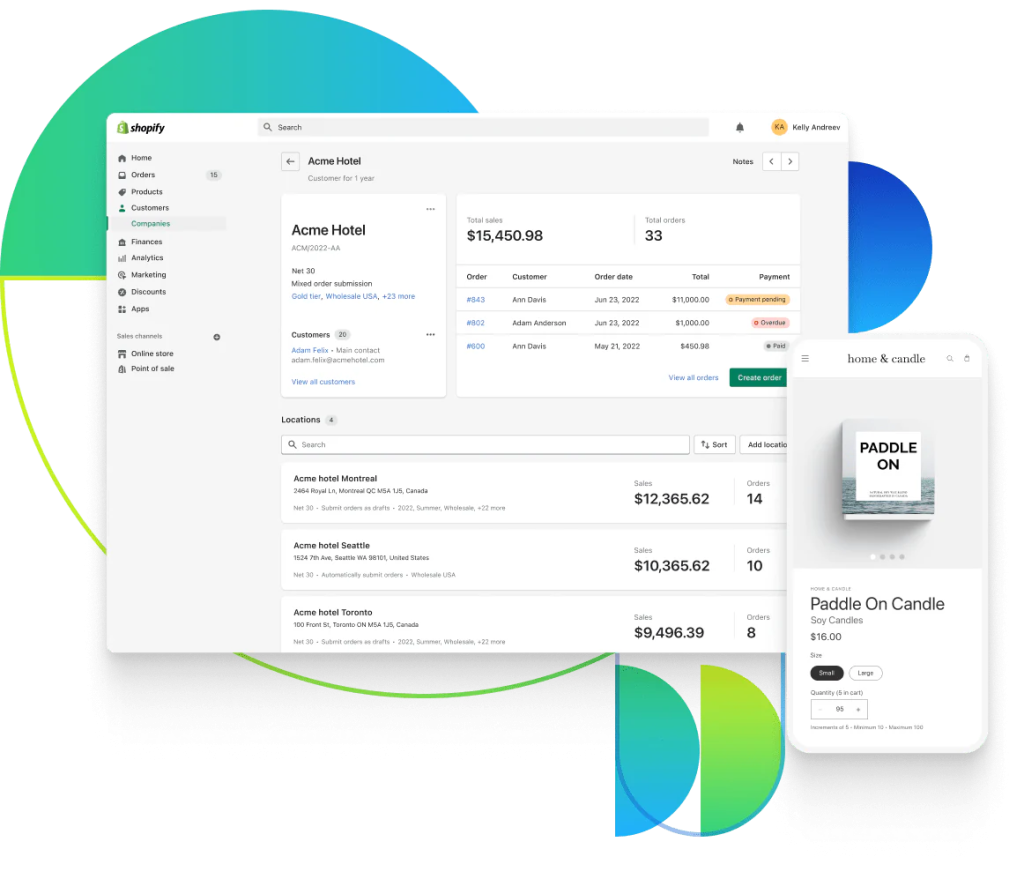
Instead of treating each buyer as an individual customer, Shopify B2B organizes everything around companies. Think of it like this: if you sell to a restaurant chain with 10 locations, you create one company profile with 10 separate locations underneath it.
Each location can have its own shipping address, payment terms, and pricing. The system handles all the complexity automatically.
How it works in practice: Store managers log in and only see their location’s information. Meanwhile, the head office can view everything across all locations.
The catch: You only get two user roles – “ordering only” and “location admin.” If you need complex approval chains, you’ll need to handle that outside the system.
Product Catalogs That Control Everything
Catalogs decide which products each customer sees. This works on two levels:
Level 1: Separate what wholesale customers see from regular shoppers. Your retail customers might see a 500g pasta pack, while restaurants see the 5kg commercial size.
Level 2: Show different products to different parts of the same company. The restaurant’s head office might see planning items, while the kitchen sees bulk ingredients.
The limitation: Everything is manual. You can’t set up rules like “show premium products to customers who spend over $10,000.” Each catalog assignment requires hands-on work.
Pricing That Actually Works for Business
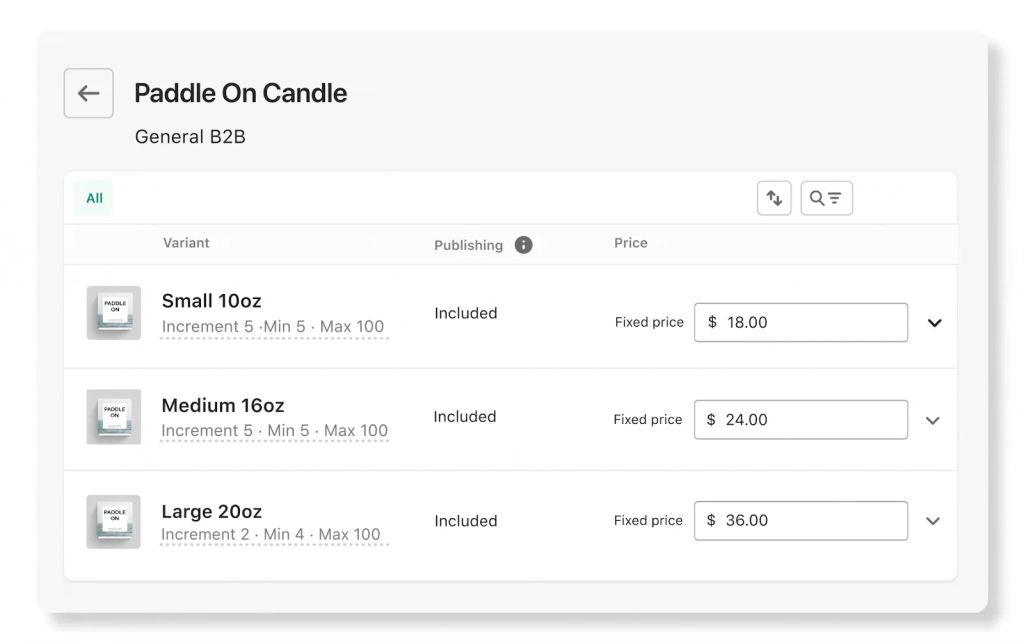
This is where Shopify B2B really shines. You can set up:
- Fixed wholesale prices
- Volume discounts (buy 10, save 15%)
- Minimum order quantities
- Case pack requirements
Real example: T-shirt orders require 12-piece minimums, with better prices at 24 and 48 pieces. The system shows these breaks clearly, encouraging larger orders.
The gotcha: Quantity rules apply per variant. Customers can’t mix sizes or colors to hit volume thresholds.
Payment Terms That Match Business Reality
Most B2B buyers don’t want to pay immediately. Shopify B2B supports:
- Pay now (like regular shopping)
- Pay when items ship
- Net terms (7, 15, 30, 60, or 90 days)
The system tracks everything and can charge saved credit cards when payment is due.
The downside: Payment collection is still manual. Your finance team needs to stay on top of it, or you risk slow payments.
A Checkout Built for Businesses
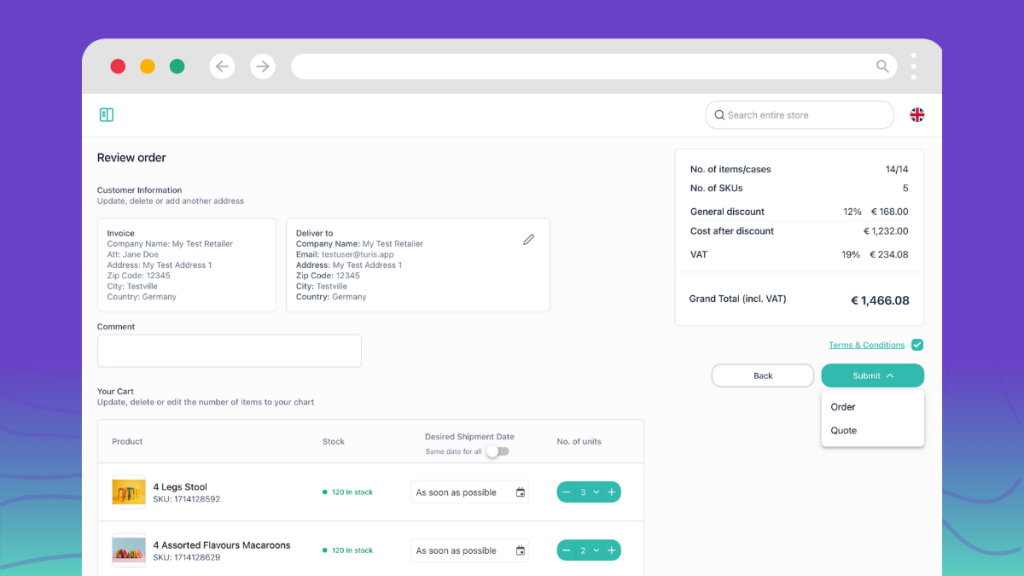
The B2B checkout includes everything wholesale buyers expect:
- Purchase order numbers
- Company billing details
- Clear payment terms
- Volume pricing displays
Orders can automatically become “draft orders” that your team reviews before confirming. This prevents mistakes on large orders and lets you adjust pricing if needed.
What’s missing: Limited customization options. If you need complex approval workflows, you’ll need custom development.
Store Personalization
You can tailor the shopping experience for different customer types. B2B buyers might see simplified layouts and bulk ordering options, while retail customers see lifestyle imagery and social proof.
Quick order lists let wholesale customers order multiple sizes and colors from one page – perfect for restocking common items.
The reality: Content personalization is basic. For advanced customization, you’ll need theme development or apps.
Self-Service Buyer Portal
Once logged in, B2B customers can:
- See their wholesale pricing
- Reorder past purchases with one click
- Track orders and shipments
- Submit return requests
- Update account details
This reduces support tickets and makes repeat ordering effortless.
What’s lacking: No native integration with enterprise procurement systems. Large institutional buyers may still need custom solutions.
Regional B2B Markets
New in 2024, you can now create separate “markets” for different regions or customer groups.
Example: Your EU market excludes non-CE certified products and shows euro pricing, while your Japan market includes region-specific items with Japanese language support.
The complication: If a customer qualifies for multiple markets, Shopify combines all the catalogs. This can create confusion without careful planning.
Automation with Shopify Flow
Flow automates repetitive tasks like:
- Tagging high-value customers
- Assigning orders to fulfillment centers
- Notifying teams about large orders
Real use case: When a hospital places an order over $5,000, Flow automatically notifies the sales team and flags it for review.
The limits: Only works with Shopify’s built-in triggers and actions. Complex logic requires custom apps.
Quick Bulk Ordering
B2B buyers can select multiple variants and quantities from one page instead of adding items one by one.
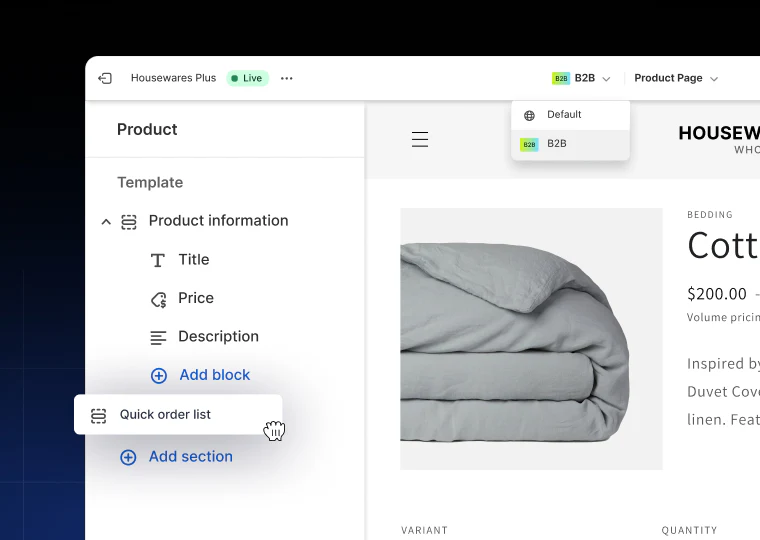
Example: A clothing buyer orders 6 small, 10 medium, and 10 large shirts in a single action.
Missing piece: No CSV upload or ERP-style ordering interface for very large orders.
Custom Discounts and Promotions
Beyond your regular wholesale pricing, you can offer:
- Temporary promotional discounts
- Free shipping incentives
- Gift card rewards for large orders
New feature: B2B customers can now purchase gift cards in bulk – useful for employee rewards or promotional campaigns.
The catch: Most promotional features require manual setup. Automatic gift card rewards based on order value need third-party tools.
What’s the difference between the old wholesale channel and the new B2B features?
The old wholesale channel created two completely separate stores. Your wholesale customers had to use different login details and visit a different website entirely. It was like running two businesses side by side.
The new B2B features work differently. You have one store that serves both regular shoppers and wholesale customers. Everyone visits the same website, but what they see depends on who they are.
Here’s how it works: when someone logs in with their email, Shopify checks whether they’re a regular customer or a wholesale buyer. Based on that, they automatically see the right products, pricing, and payment options – all on the same storefront.
Think of it like a restaurant with a regular menu and a catering menu. Same kitchen, same location, but different offerings depending on whether you’re ordering dinner for two or lunch for 200 people.
Shopify B2B Requirements For Your Wholesale Operation
Before diving into wholesale features, your Shopify store needs specific settings enabled. Miss these requirements, and B2B features simply won’t work.
Customer Account Setup
Your store must use Shopify’s new customer account system. The old legacy accounts don’t support B2B features at all.
What this means: B2B buyers must log in to see wholesale pricing and products. Guest checkout isn’t an option for wholesale customers. If your current customers use the old account system, they’ll need to create new accounts.
Why it matters: Without a login, buyers see regular retail pricing and products. The whole B2B experience depends on authenticated access.
Company Records Are Required
Regular customer profiles won’t work for B2B. You must create actual “Company” records in your Shopify admin for each wholesale customer.
The difference: Individual customer accounts can’t access features like multiple locations, user roles, or custom payment terms. Only company records unlock these B2B capabilities.
Setup reality: This means manually converting existing wholesale customers from individual accounts to company profiles. Plan time for this migration.
Hidden Features Need Activation
Several B2B features are turned off by default, including:
- Custom discount options
- Manual payment methods
- Advanced checkout functions
- Abandoned cart emails for B2B
The process: You’ll need to contact Shopify Support to enable these features. It’s not automatic, and there’s no self-service option.
Blended store warning: Once enabled, these features affect both B2B and retail customers. You’ll need Shopify Flow or custom code to control who sees what.
Shopify B2B & Order Size Limits
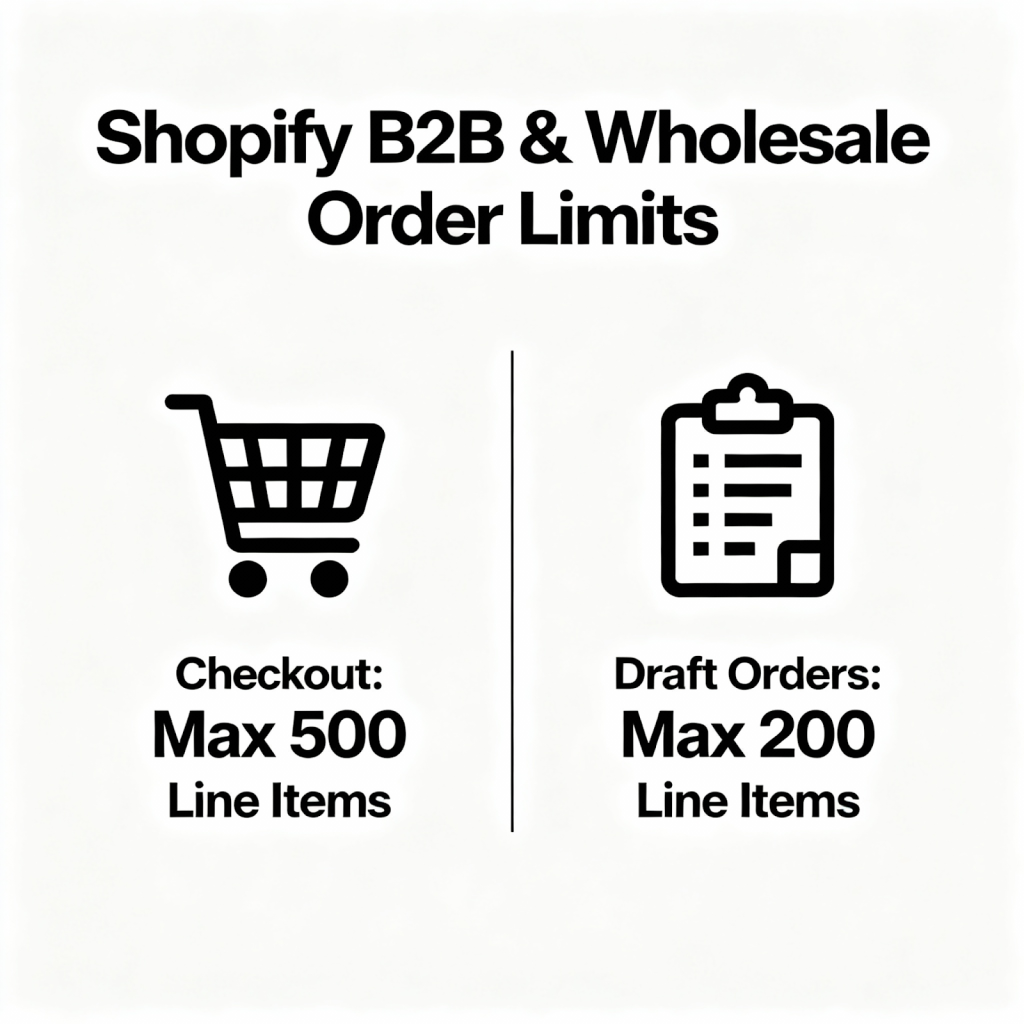
Your wholesale orders can’t be unlimited:
- B2B checkout: Maximum 500 line items per order
- Draft orders: Maximum 200 line items
Real impact: Large distributors or manufacturers might hit these limits regularly. Orders exceeding these caps must be split into multiple smaller orders.
Workaround considerations: Some businesses handle this by processing multiple related orders simultaneously, but this creates operational complexity.
Technical Dependencies
Several features require specific Shopify Plus tools:
- Shopify Flow for automation
- Customer account APIs for custom development
- Check out extensibility for advanced customization
Planning note: If you’re building custom B2B functionality, verify these dependencies before development starts.
Global Behavior Changes
Enabling B2B features affects your entire store operation, not just wholesale customers. Changes include:
- Different checkout flows
- Modified customer account pages
- Altered admin interfaces
- New order processing workflows
Staff training implication: Your team needs to understand both B2C and B2B order management within the same system.
Migration Planning
Moving from a basic Shopify plan to Plus with B2B features isn’t just a billing change. Consider:
- Customer data migration to company profiles
- Product catalog reorganization
- Staff permission updates
- Payment term configuration
- Integration testing with existing tools
Timeline reality: Plan 2-4 weeks for proper setup, not including custom development time.
The requirements might seem straightforward, but each one has operational implications. Understanding these upfront prevents surprises during implementation and helps set realistic launch timelines.
Manage Shopify B2B Better With QuoteSnap
Here’s a common problem: you’ve set up Shopify B2B, but some customers still need custom quotes. Maybe they’re buying odd quantities, need special packaging, or want to negotiate prices before committing. The native B2B features don’t handle these situations well.
This creates real headaches. Your team ends up creating quotes in spreadsheets, juggling email threads, losing track of negotiations, and manually entering everything into Shopify later. Customers get frustrated with the slow back-and-forth. You’re probably losing deals just because the quote process is too clunky.
QuoteSnap bridges this gap. It adds a “Request a Quote” button to your stores. Customers submit requests through a custom form, you get instant notifications, and you can review the quote, adjust pricing or shipping rates, then send a proposal email to continue the negotiation. The practical benefits:
- Custom quote requests for both wholesale and retail customers
- Flexible price hiding across your entire store
- Quote tracking and PDF generation
- Line-item or full-quote discounting
- Integration with major marketing platforms
For businesses that need quote-based selling alongside standard B2B features, QuoteSnap fills the gap without requiring custom development. It’s particularly useful if you sell custom products, handle bulk orders with variable pricing, or serve customers who prefer negotiating before purchasing.
So, Is Shopify Good For B2B?
Shopify B2B works well for most growing businesses, but it’s not perfect for everyone.
It’s excellent if you:
- Already run retail on Shopify and want to add wholesale
- Need to launch quickly without complex development
- Want unified operations from one dashboard
- Have straightforward B2B requirements
It’s not ideal if you:
- Can’t justify the $30,000+ annual Plus cost
- Need complex approval workflows or advanced inventory management
- Require deep ERP integration or subscription billing
- Handle orders exceeding 500 line items regularly
The reality? Shopify B2B covers 80% of wholesale needs natively. For most merchants, that’s enough to start successfully and grow profitably. The platform keeps improving, adding features that previously required custom development.
So, if you can afford Plus and your needs align with Shopify’s capabilities, it’s hard to beat the speed of implementation and operational simplicity. Just be honest about your current requirements versus future aspirations – choose based on where you are today, not where you hope to be in five years.
Read More: Best Shopify B2B Examples: Real Success Stories That’ll Transform Your Wholesale Business
