
Stop Leaving Money on the Table: Introducing QuoteSnap’s Profit Leak Report
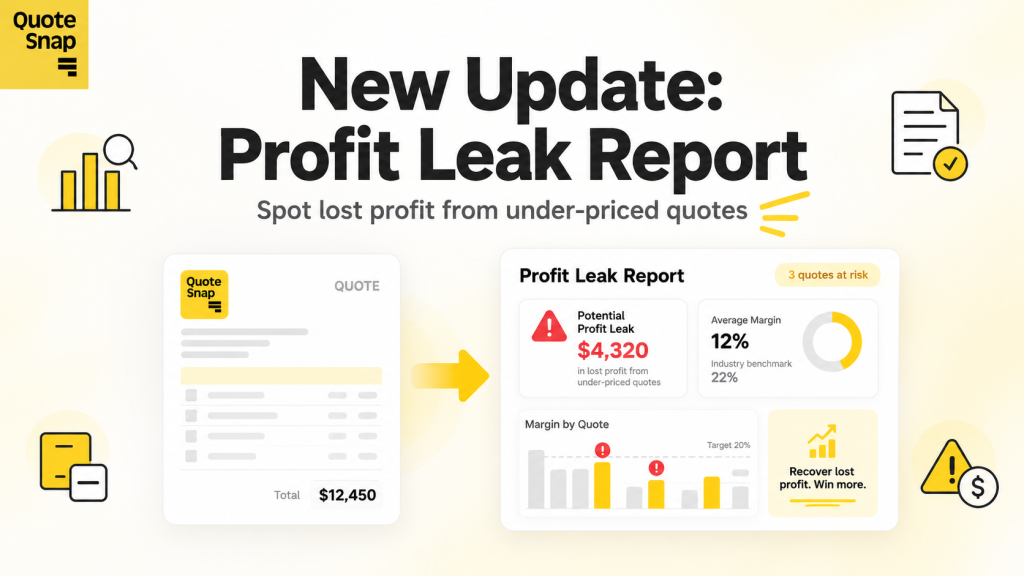
Closing a quote feels like an immediate win, but winning the deal does not always translate to healthy margins. When negotiating custom pricing or wholesale orders, discounts are often decided on the fly. The true impact of those concessions on your bottom line remains hidden until the order is fulfilled and the books are closed. By then, the profit has already slipped away.
QuoteSnap’s new Profit Leak Report removes the guesswork from quote profitability. Built directly into QuoteSnap Analytics, this update audits every sent quote against a 20% target margin. It flags under-priced quotes, calculates exact lost profit, and isolates the specific products and customers driving margins down – giving you the visibility needed to negotiate with confidence.
Inside the Profit Leak Report: How QuoteSnap Tracks Lost Margin
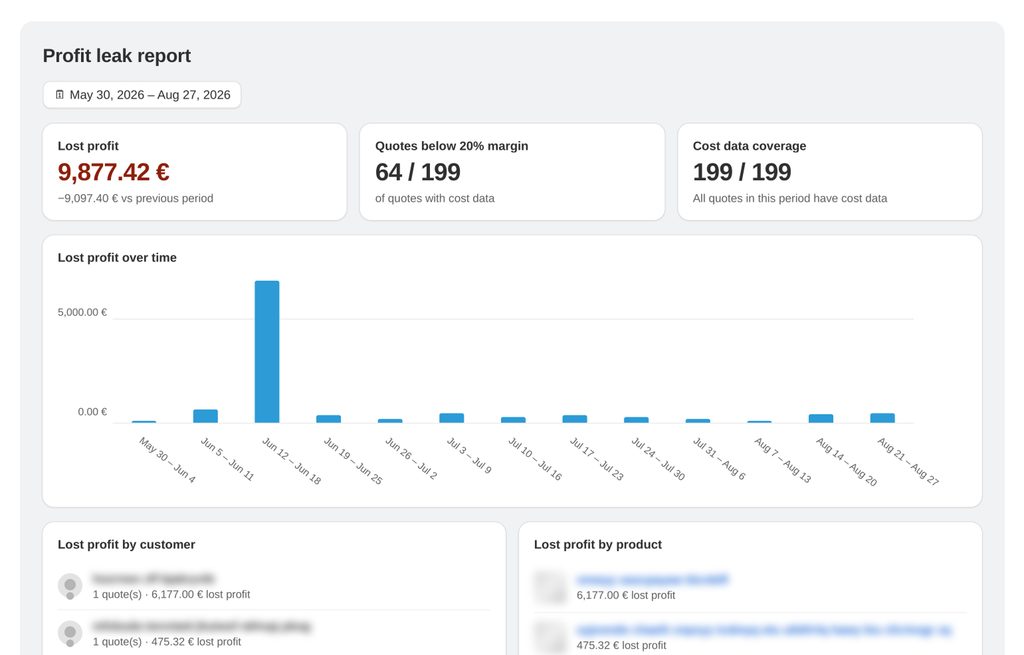
The Profit Leak Report delivers a dedicated, read-only analytics view engineered to audit quote profitability across your catalog without altering existing quotes or workflows. By evaluating individual line-item costs against quote values, the dashboard turns disparate quoting activity into clear margin intelligence.
1. Key Summary Cards
The top of the analytics screen highlights three primary metrics that instantly diagnose margin performance across any selected period:
- Lost Profit: Calculates the total currency missing to bring every below-target quote up to the 20% margin benchmark, complete with a comparison against the previous period. The metric is displayed in red when above zero and switches to green once zero profit is leaked.
- Quotes Below 20% Margin: Measures the exact volume of under-margin deals out of all quotes that contained sufficient cost data (e.g., 64 / 199 quotes).
- Cost Data Coverage: Displays how many quotes include item-level cost data across every product (e.g., 199 / 199 quotes). Maintaining 100% coverage ensures full audit integrity, as any number below 100% means uncosted line items remain invisible to the report.
2. Segmented Margin Analysis
Below the top-level cards, the report categorizes your margin health into actionable breakdowns:
- Lost Profit Over Time: A weekly bar chart visualizes margin trends over time, helping merchants identify whether pricing leaks are improving, worsening, or tied to specific promo periods.
- Lost Profit by Customer: Isolates accounts that repeatedly receive your lowest-margin quotes, preventing habitual under-pricing from becoming standard operating procedure.
- Lost Profit by Product: Pinpoints individual SKUs and catalog items that drag overall quote margins below your target threshold.
3. Step-by-Step Margin & Lost Profit Calculation
To maintain complete clarity, QuoteSnap applies a consistent four-step calculation model to every quote. Quotes meeting or exceeding 20% margin are deemed healthy, and high-margin deals never cancel out or conceal under-priced quotes.
| Step | Metric & Formula | Concrete Example |
|---|---|---|
| Step 1: Quote Value | Base value of the quote | 300 units x 195.00 € = 58,500.00 € |
| Step 2: Cost of Goods | Cost per item × quantity across all line items | Total COGS = 52,977.00 € |
| Step 3: Actual Profit & Margin | Quote Value − Cost of Goods (Margin % = Actual Profit ÷ Quote Value × 100) | Actual Profit = 5,523.00 € Margin = 9.44% (Flagged: Below 20% target) |
| Step 4: Lost Profit | Target Profit at 20% (Quote Value × 0.20) − Actual Profit | Target = 11,700.00 € Lost Profit = 6,177.00 € |
Why Active Margin Tracking Matters for Shopify B2B & Wholesale Quotes
Running a profitable B2B quoting process requires real-time margin visibility rather than post-sale reconciliations. Equipping your sales workflows with clear margin thresholds creates tangible commercial advantages across your business:
- Smarter Discounting Boundaries: Sales reps and account managers gain clear parameters on how far custom pricing can flex, preventing competitive concessions from turning into margin loss.
- Targeted Pricing & Sourcing Adjustments: By highlighting the exact items and repeat accounts driving lost profit, store owners can proactively revise base price sheets, adjust wholesale tiers, or renegotiate supplier rates.
- Catalog Cost Hygiene: The Cost Data Coverage metric ensures operational accuracy by spotlighting products that lack recorded unit costs, giving store owners a dependable foundation for margin reporting.
How to Access the Profit Leak Report in QuoteSnap Analytics
The Profit Leak Report is available directly within your QuoteSnap dashboard and requires no theme customizations or manual metric setup.
- Open your Shopify admin and navigate to the QuoteSnap app.
- In the navigation sidebar, go to Analytics → Profit leak report.
- Select your desired date range, confirm that Cost Data Coverage reflects 100%, and review your Lost Profit totals alongside the customer and product tables.
Stop letting under-priced deals eat into your margins. Open QuoteSnap in your Shopify Admin to review your Profit Leak Report today.
Find out where your margins are leaking
Every under-priced quote quietly eats into your profit. QuoteSnap’s Profit Leak Report audits each sent quote against a 20% target margin, calculates your exact lost profit, and pinpoints the products and customers dragging margins down.
Open QuoteSnap Analytics